

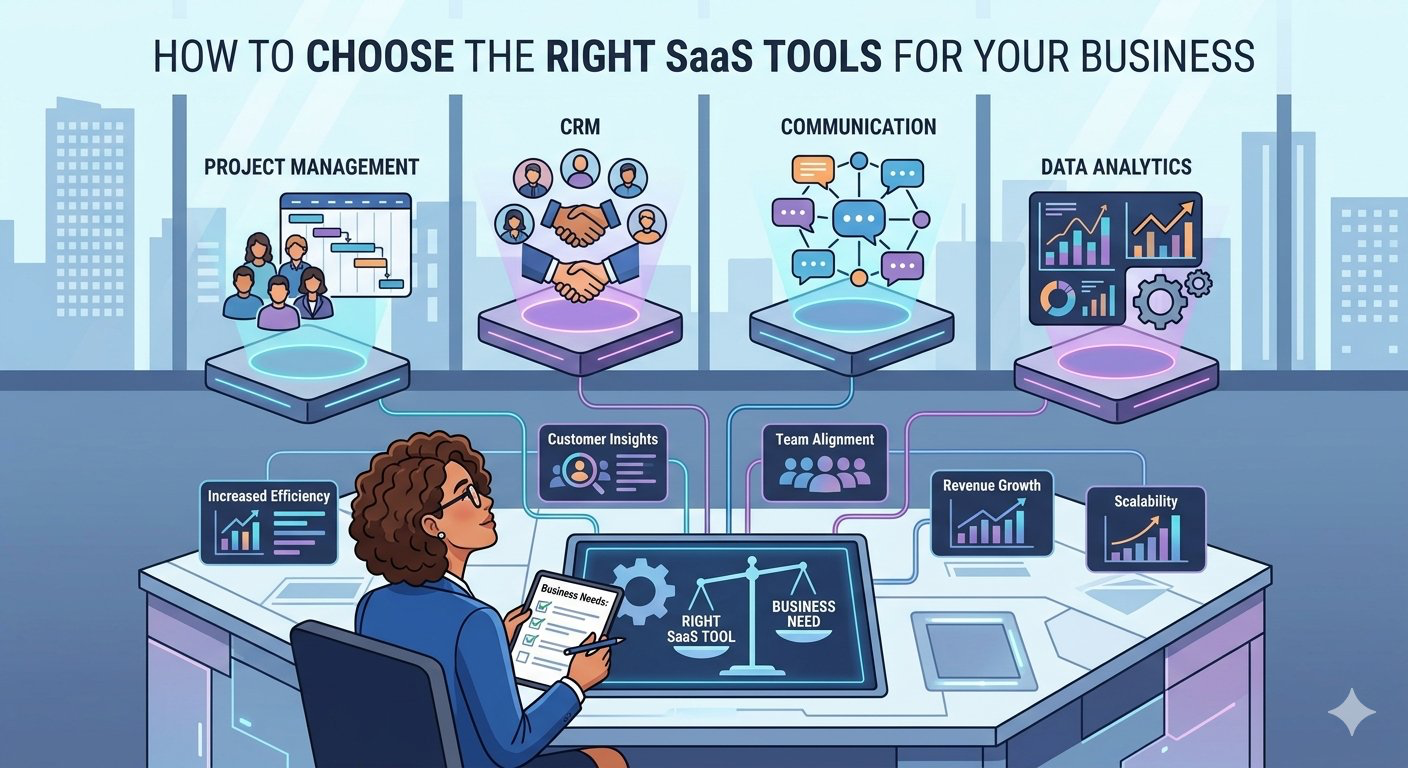
Selecting the ideal Software-as-a-Service (SaaS) platform has become one of the most critical operational challenges for modern enterprises. In an era where corporate efficiency depends heavily on digital infrastructure, a single wrong software choice can result in lost productivity, data security vulnerabilities, and thousands of dollars in wasted subscription fees. Business leaders often fall into the trap of purchasing software based on marketing hype, flashy feature lists, or beautiful user interfaces, without evaluating how the platform integrates with their actual business workflows.
A strategic approach to software procurement looks far beyond superficial features. It requires a systematic evaluation of internal operational bottlenecks, absolute cost structures, long-term technical support networks, data compliance, and structural software compatibility. This comprehensive guide details the exact steps business decision-makers must take to evaluate, select, and deploy the right SaaS tools to drive sustainable organizational growth.
1. Conducting an Internal Needs Assessment
The software procurement process should never begin with browsing software directories or watching promotional videos. Instead, it must start with an internal audit of your current operational friction points. Purchasing software before clearly defining the internal organizational problem it is meant to solve leads to low employee adoption rates and bloated corporate budgets.
To understand what features your team actually requires to succeed, look closely at their daily routines. Document exactly how data moves across departments and locate where tasks stall. Common operational bottlenecks usually include manual data entry, where employees spend hours moving information between mismatched legacy systems or spreadsheets. Communication gaps are another risk, especially for remote teams struggling to collaborate effectively due to scattered conversation threads across different channels. Additionally, a lack of analytics leaves managers unable to make data-driven decisions because historical operational metrics are locked inside isolated systems. By defining these specific issues beforehand, you create a checklist of features that your target SaaS tool must possess.
Software vendors are excellent at making complex, flashy features seem essential to your business. However, paying for a bloated subscription plan full of tools your team will never use is an unnecessary expense. Divide your software requirements into two clear categories: Must-Have Features and Nice-to-Have Features. Must-Have Features are non-negotiable capabilities that directly address your primary operational bottleneck. For instance, if you are buying a Customer Relationship Management (CRM) platform, the ability to log client emails automatically is a must-have. On the other hand, Nice-to-Have Features include advanced or decorative capabilities that improve user experience but are not vital to daily operations, such as custom color themes or automated AI summary videos.
2. Analyzing Total Cost of Ownership (TCO)
The monthly subscription price listed on a software vendor’s website rarely reflects the actual cost that a business will incur. To protect your corporate bottom line, you must calculate the Total Cost of Ownership (TCO), which accounts for both immediate subscription fees and hidden operational expenses. The basic breakdown of TCO includes the base subscription fees, one-time implementation and setup costs, employee onboarding and training downtime, and mandatory third-party integration add-ons.
SaaS vendors typically utilize complex pricing matrices designed to encourage upgrades as your business scales. When evaluating costs, keep an eye out for tiered and hidden pricing structures. Per-user pricing tiers charge a flat rate per employee seat. While simple at first, this model can quickly become expensive as your company hires more staff. Usage-based pricing ties costs directly to specific data metrics, such as total storage space used, API requests made, or emails sent. This structure requires careful forecasting to avoid unexpected billing spikes during high-growth months. You must also consider the enterprise upgrade gate, where vendors lock essential security tools, compliance features, or dedicated customer support phone lines behind high-priced enterprise tiers.
Implementing new corporate software always incurs hidden productivity costs that impact revenue. Employees require time to learn a new interface, during which their daily output may slow down significantly. Additionally, moving historical database records from a legacy system into a new SaaS platform often requires paid technical assistance, specialized formatting, or dedicated data-migration tools. Always include these initial setup, migration, and training costs in your financial calculations before signing a contract.
3. Data Security, Compliance, and Privacy Standards
When you deploy a SaaS tool, you are trusting a third-party cloud vendor with your company’s sensitive operational data, financial records, and customer privacy. A security breach or compliance violation can result in heavy legal fines and destroy your brand’s market reputation over night.
Never take a software vendor’s word regarding their security claims or data safety. Look for recognized independent technical certifications. For instance, a SOC 2 Type II certification confirms that a vendor securely manages corporate data based on security, availability, processing integrity, confidentiality, and privacy over an extended observation period. This is crucial for B2B software, cloud infrastructure, and financial tech. GDPR compliance guarantees that the software complies with strict European laws regarding individual data privacy and consumer tracking rights, which is vital for any business interacting with European citizens. For healthcare providers and medical tech, HIPAA compliance assures that the platform meets legal physical and network security standards for safeguarding patient health records.
Before uploading corporate records to a cloud platform, read the service agreement’s data-ownership clauses carefully. Ensure your business retains full ownership of all data files at all times. Furthermore, investigate the vendor’s exit process. Look at how easy it is to export your data if you decide to cancel the service, and find out what file formats they support. A clean exit strategy ensures your company never becomes trapped in a restrictive vendor relationship or data-lock.
4. Software Compatibility and API Integrations
A software platform does not exist in isolation. For a SaaS tool to add long-term value, it must connect easily with your existing technology stack. Forcing teams to use an isolated system that cannot share data with other corporate tools creates fragmented databases and requires manual data-entry workarounds that slow down operations.
When looking at system setups, consider native integrations versus custom API development. Native integrations are pre-made connections to popular tools built directly by the software platforms, such as a project management tool connecting natively to Slack or a billing tool connecting to QuickBooks. These setups require zero coding knowledge and can be activated with a few clicks, making them highly efficient for small to mid-sized teams. In contrast, if your company utilizes niche or proprietary software, you will need to leverage the vendor’s Application Programming Interface (API) to build custom data pipelines. Review the vendor’s technical documentation to ensure their API is well-documented, reliable, and accessible without paying steep developer fees.
5. Assessing Vendor Viability and Technical Support
When you invest in a software tool, you are choosing a long-term business partner. If the software company goes bankrupt, suffers frequent server downtime, or stops updating its features, your daily business operations will suffer.
Before committing to an expensive platform, research the software vendor’s market history. Look for indicators of structural health, starting with product release consistency. Review their public change-logs to confirm they regularly release security patches, fix bugs, and roll out useful new features. Check their platform reliability history via independent tracking tools to verify their cloud servers do not suffer from frequent crashes. Finally, browse independent software directories like G2 or Capterra to read objective feedback from verified users within your specific industry vertical.
When a software tool breaks or experiences technical issues during a busy workday, your team needs immediate help. Evaluate the vendor’s Service Level Agreement (SLA) to see what level of technical support they guarantee. Look closely at whether they offer twenty-four-seven live chat and phone support, or if they only respond via email within forty-eight business hours. Prioritize vendors that offer reliable, fast-response support channels to minimize operational downtime.
6. Driving Employee Adoption and Change Management
Even the most technologically advanced software is useless if your employees refuse to use it. A major reason SaaS implementations fail is due to internal resistance from staff members who prefer their old ways of working. Overcoming this hurdle requires a clear change management strategy.
Involve your key team members early in the selection process. When employees have a voice in choosing the tool, they are much more likely to adopt it enthusiastically. Provide structured, ongoing training sessions rather than a single introductory meeting. Assign internal “software champions” within each department—tech-savvy employees who can answer daily questions and help their peers navigate the new system. By focusing on the human element of technology, you ensure your software investment delivers maximum operational value.
Conclusion: Executing a Calculated Procurement Strategy
Choosing the right SaaS tools is a structured process that requires balancing operational utility with financial security. By conducting deep internal needs assessments, tracking your true total cost of ownership, and prioritizing data compliance and integration compatibility, your business can avoid expensive procurement mistakes.
Take advantage of free software trials and involve your daily team members in the evaluation process before purchasing a long-term contract. The organizations that systematically select high-compatibility, secure cloud software are the ones that successfully reduce operational overhead, empower their staff, and build a scalable foundation for long-term growth.